
Account Management Portal
If your account has migrated from the Account Management Portal (AMP) to Trimble’s Admin Console, or you want to make sure you are prepared for when it does migrate, take a look at our Trimble Admin Console articles.
The Trimble Account Management Portal (AMP) helps you manage your Trimble subscription products, including SketchUp Pro, SketchUp Go, and SketchUp Studio. The AMP assists account owners and company administrators who want to view the details of their subscriptions, add or remove users, and assign subscription seats. All SketchUp users can use the AMP to download their assigned products and manage their device activations.
Note : When we refer to members, we are talking about a specific user as defined by our Terms of Service. Each member, including the account owner, must be a named user designated by their real first name, last name, and email address.
AMP Dashboard
When you first login, you'll see your account dashboard. Depending on your role, you may have access to one or more of the following sections:
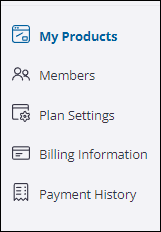 | My Products - View and download your SketchUp products. Members - Add or remove users, assign member roles, and manage product access. Plan Settings - Manage subscriptions and renewal preferences. Billing Information - View and edit the account address and manage payment options. Payment History - Review the account's available payment history. |
Account Profiles
The Edit Profile link appears in the upper right when viewing any section of your account.

Clicking Edit Profile opens the My Profile page in a new browser tab.

In My Profile, you can add a profile picture and update your preferences. Changing the information seen in the My Profile page does not change the ownership of that account. The owner, or authorized user, is an individual named person associated with the email address attached to the account. For more information on how we define an authorized user, see the Trimble General Product Terms.
If your organization manages your Trimble ID, you may need to contact your administrator to make changes to certain account settings.
Managing Your Account
The following articles will explain how you can use the AMP to manage your SketchUp account:
Managing Members and Managing Roles cover how to add a user, user roles, and how to designate what products are available to users.
Plan Management and License Management discuss managing your subscriptions and the licenses associated with them.
Deauthorizing Devices teaches you how to manage your device activations.
Billing and Payment outlines how to view your payment history, renew a plan, update payment information, and edit your Trimble profile.
Refunds and Cancellations provides information on how to get a refund and cancel your subscription.
Frequently Asked Questions
Can SketchUp named user subscriptions be transferred to other users?
SketchUp subscriptions offer access to product licenses intended for use by a single named user, a real person using their first name, last name, and email address for the duration of the subscription term. The person using a license must match the person assigned to that license when purchasing or renewing a subscription. Single named-user licenses cannot be transferred to another user but can be updated at specific times. For details see the Trimble User Assignment and Device Management Policy.
I have a Classic License. Can I use the AMP to manage my version of SketchUp?
The AMP allows Classic License users to manage their SketchUp subscriptions through the AMP. For more information on your Classic License, see SketchUp Classic License.
Where can I see how many seats are available?
Anytime you change a network user's product access, you'll see the number of available seats. Learn more about product access in License Management.
Can I unsubscribe from SketchUp emails in the AMP?
No. The best way to unsubscribe is using the unsubscribe link provided in our emails, or visit the SketchUp Email Unsubscribe Page.